
How to optimize your workspace on MyUniSpace?
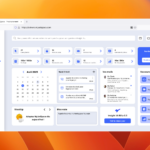
Your digital workspace plays a key role in your productivity and organization. With MyUniSpace, you have at your disposal a complete and customizable environment to maximize your efficiency. Here are some tips to optimize your use of the platform.
1. Customize your interface
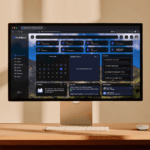
- Adapt colors and themes Choose an appearance that fits your visual comfort.
- Organize your spaces : Sort your projects and documents for faster navigation.
2. Use shortcuts and automations
- Enjoy the keyboard shortcuts Save time by quickly accessing the main features.
- Sync with other tools : Integrate MyUniSpace with your favorite apps.
3. Collaborate effectively
- Share your documents with one click : Work as a team in real time.
- Use comments and notifications : Stay informed of important updates.
4. Secure your data
- Enable two-factor authentication Protect your account from unauthorized access.
- Save your files regularly Make sure you don't lose anything in case of an incident.
- Control access to your spaces : Manage access rights for more privacy.
5. Stay organized
- Use an integrated calendar : Plan your tasks and meet without leaving the platform.
- Create task lists Follow your goals and priorities.
By applying these tips, you can make the most of MyUniSpace and boost your daily productivity.
➡ Try these tips now and optimize your workspace!